
Translate and send
Translate spoken or typed text and send it to the chatbox. Reading translations aloud requires the AI Voice Extension.
Compare translation engines →A VRChat conversation tool for people who prefer not to speak (Windows; free app)
Your own voice is not sent to others.
Hello!
On your desktop or in VR.
Translate spoken or typed text and send it to the chatbox. Reading translations aloud requires the AI Voice Extension.
Compare translation engines →Display incoming speech as text, with translations for other languages. You can also show it on a panel in VR.
About incoming speech →
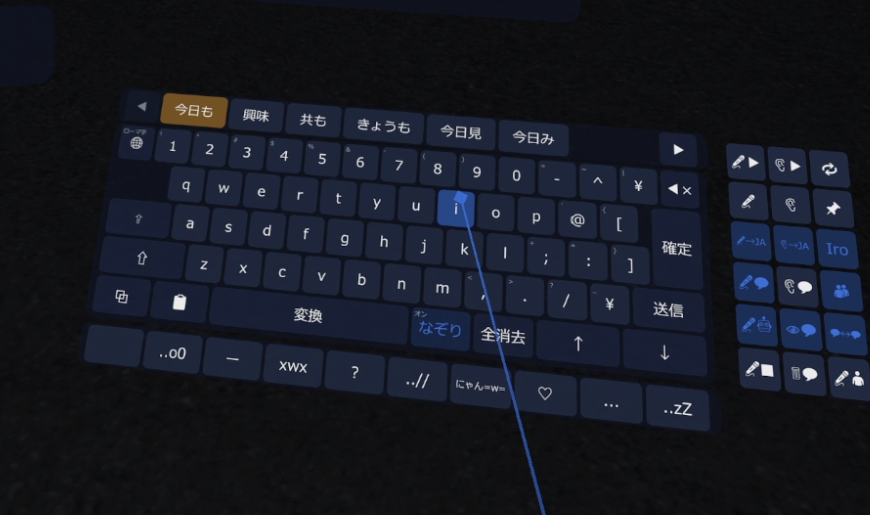
Use the VR keyboard and controllers, with panels on your hands or in your view. You can also use the app on your desktop without VR.
See the setup guide →The conversation diagrams are illustrative. The VR keyboard image is an actual screenshot.
You can also pass through your own voice when needed.
Select a video to play it here.
The V1 videos show an older version. Screens, features and supporter editions differ from the current version.
Listen to and compare VOICEVOX, Irodori-TTS and Qwen3-TTS.
Press “?” at the top right of the app settings to see explanations beside each setting. This site covers material that is harder to present inside the app.
The developer tests on the following hardware. Operation on lower-spec systems is not guaranteed.
For bugs or questions, use “Send feedback” under Settings > Other > About in the app, send a BOOTH message, or contact the developer on X (@nktssbat, @yuki54625).